How Headcount works, screen by screen
These are the real screens you'll use. Each step shows what you do, what we handle for you, and what runs on its own. Anything technical, like your pixel or connecting Shopify, we set up with you.
Step 1
Pick a plan and pay
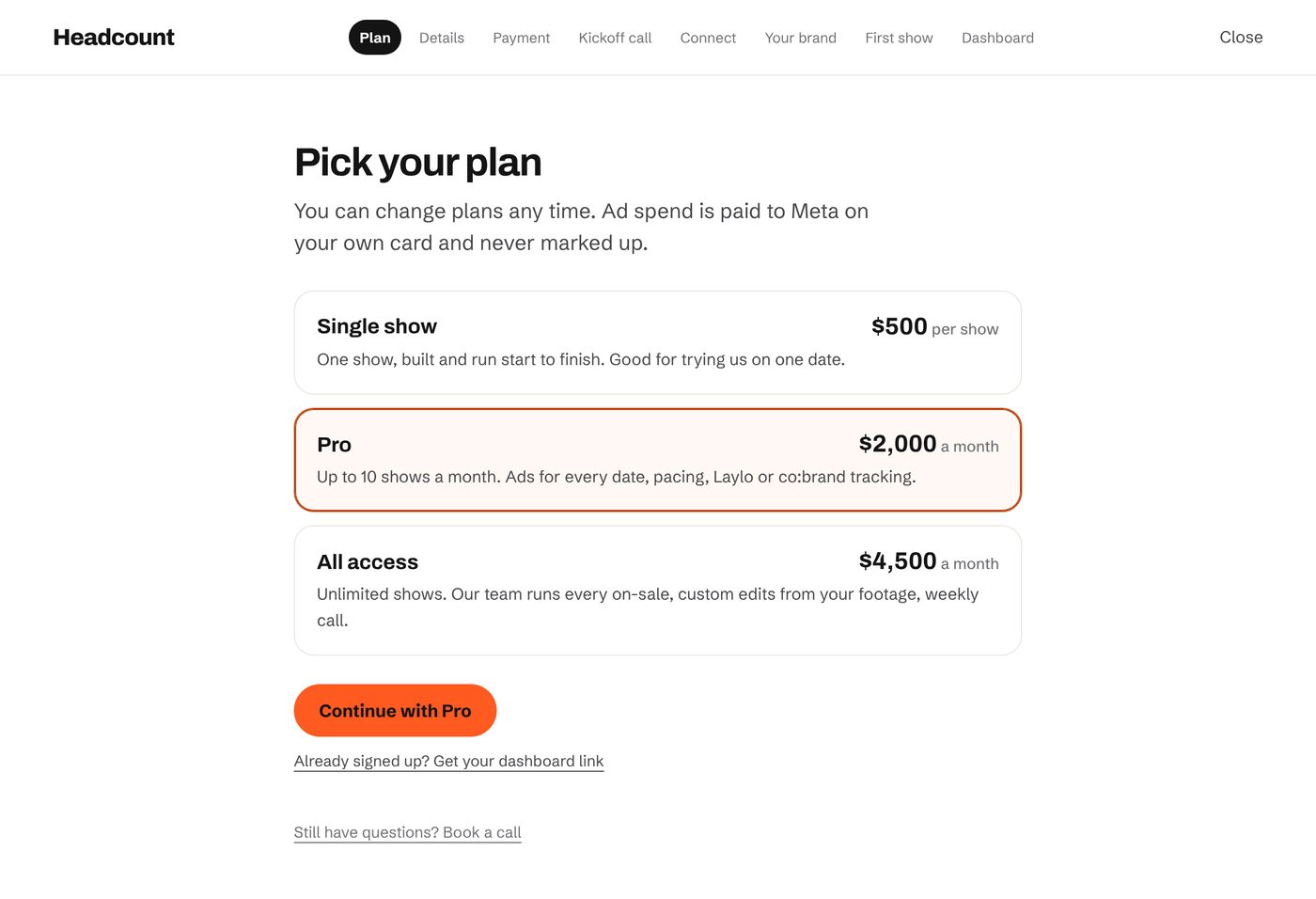
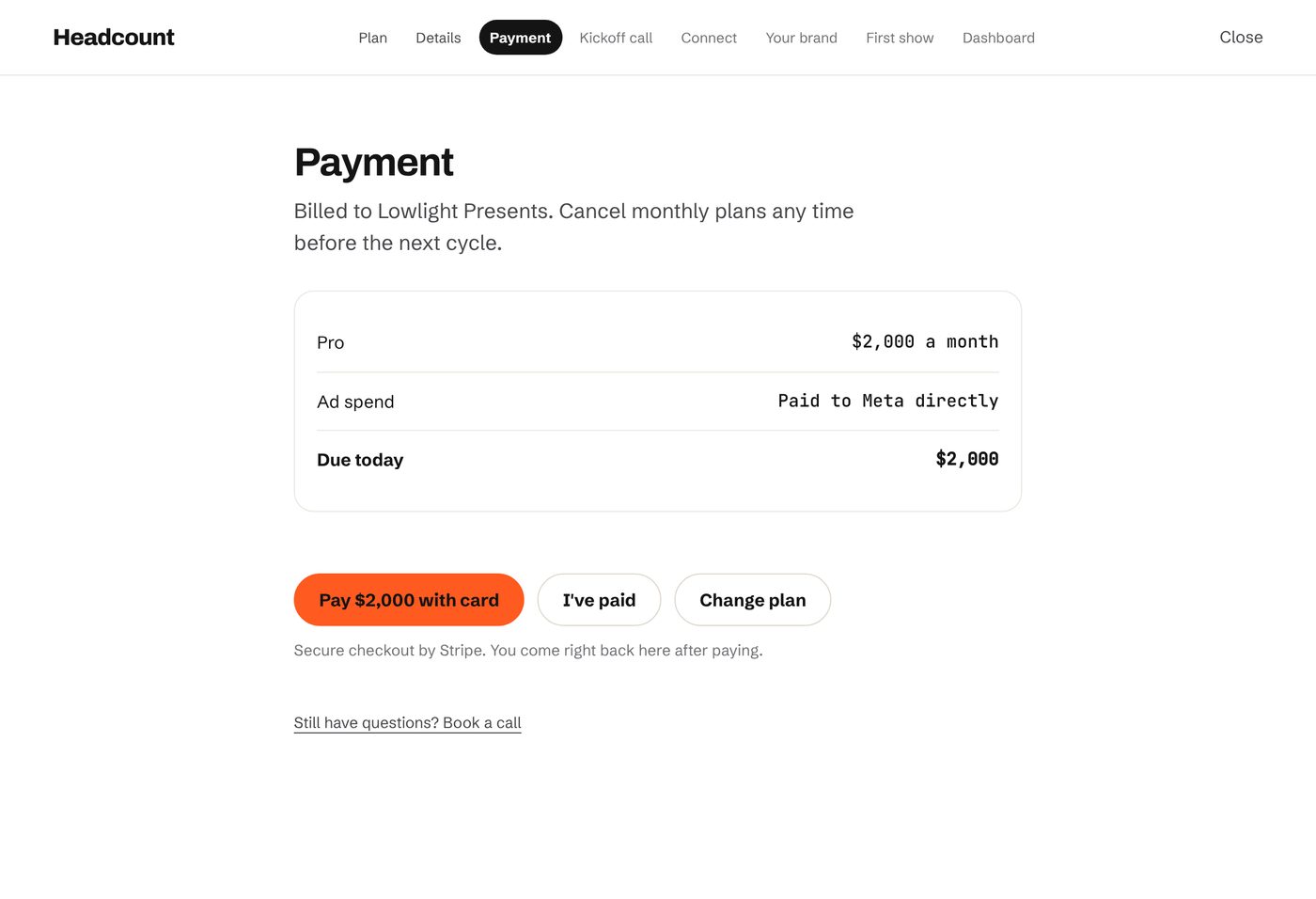
Three plans, billed by invoice. Ad spend never goes through us. Meta bills it to your own card.
Choose Single show, Pro or All access, then ask for your invoice and pay by card or bank transfer.
Your account is created, and the app moves you to the next step as soon as the payment clears.
Step 2
Book your kickoff call
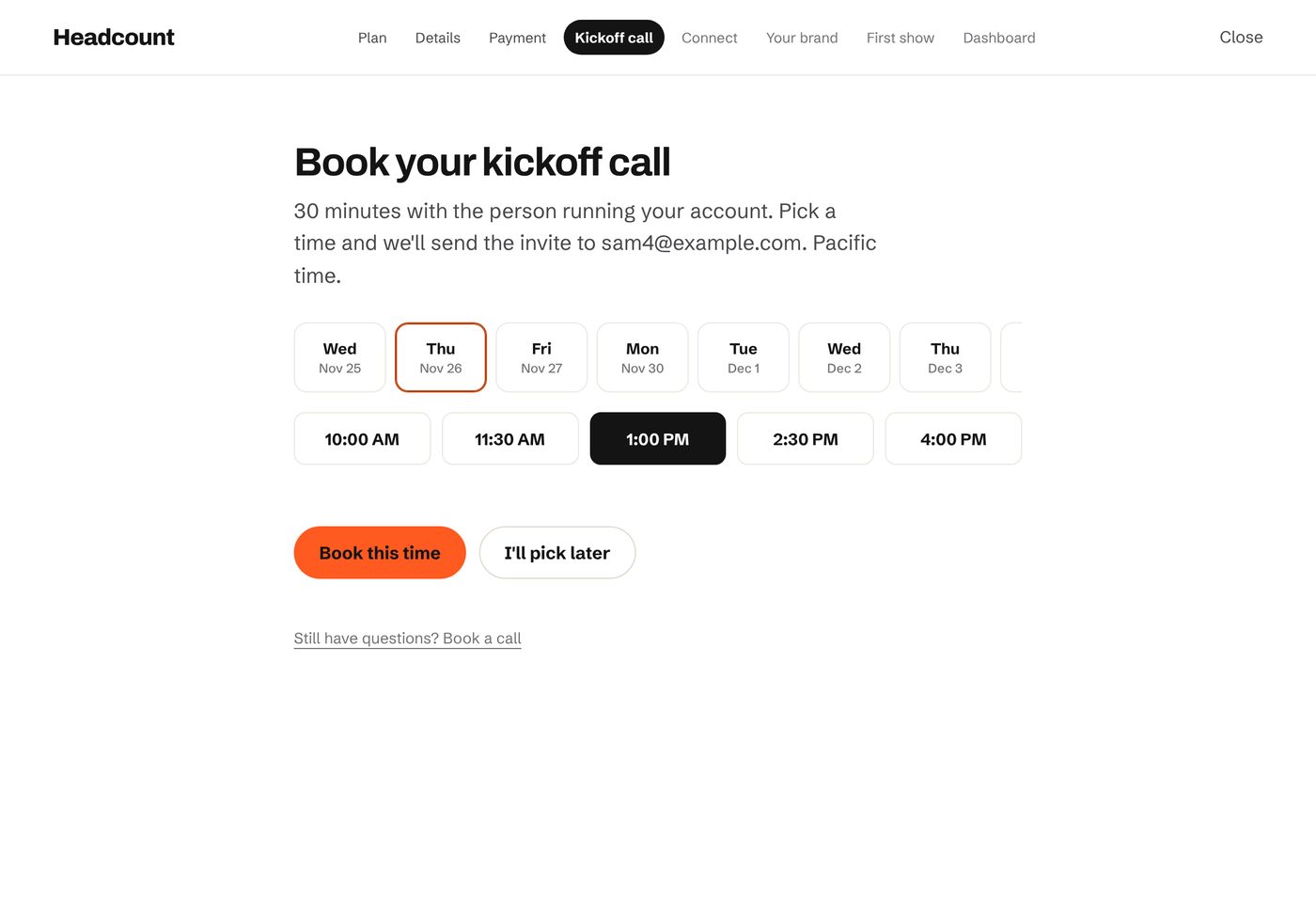
Thirty minutes with the person running your account. This is where most of the setup happens, so you never have to figure out the technical parts alone.
Pick a time that works.
We go through your calendar, budgets and what has sold for you before, then set up tracking with you on the call.
Step 3
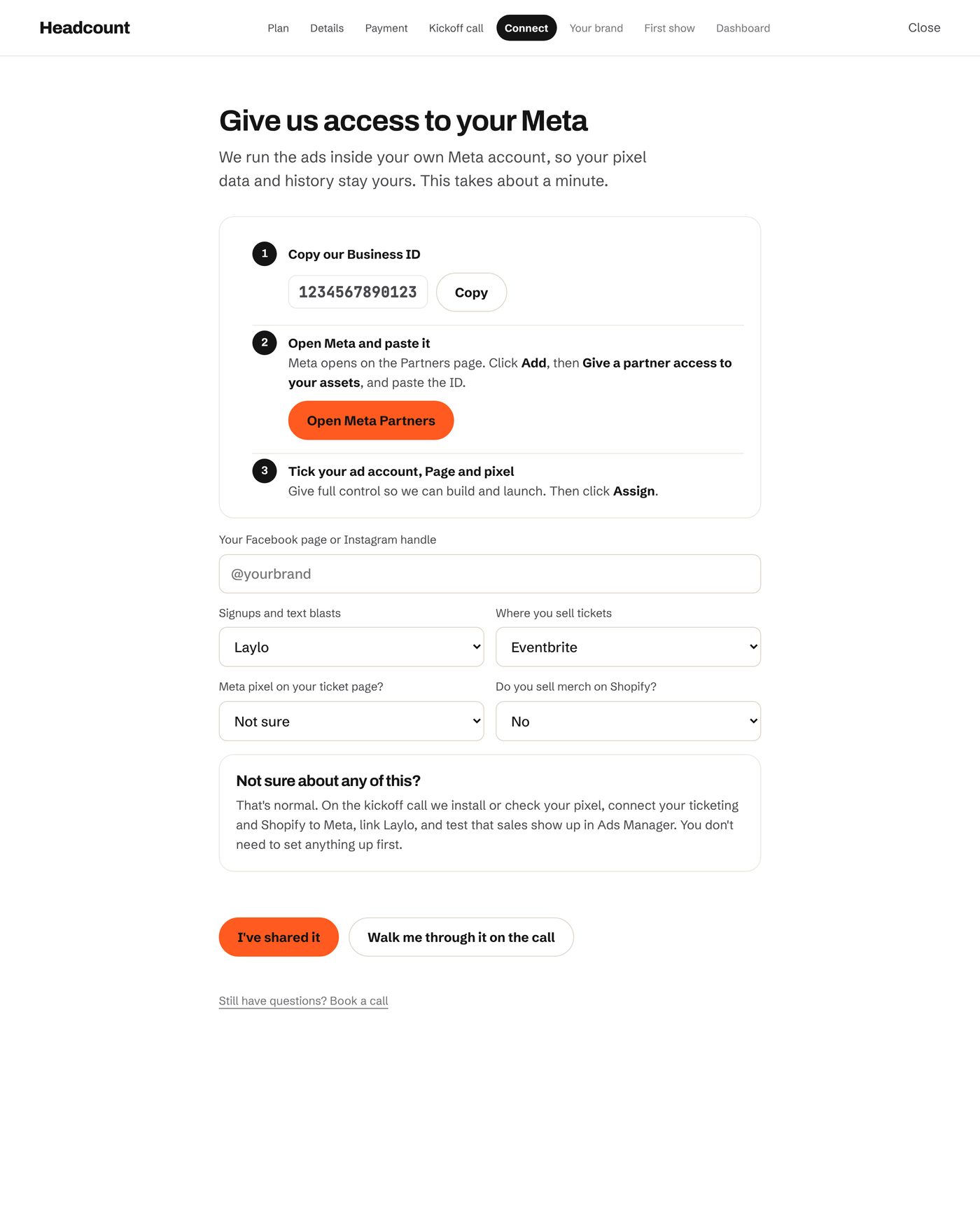
Give us access to your Meta
We work inside your own ad account, so your pixel data and history stay yours if you ever leave.
Copy our Business ID, tap Open Meta Partners, paste it in and tick your ad account, Page and pixel. It takes about a minute.
We confirm access on our side and let you know. If you get stuck, choose "Walk me through it on the call" and we do it together.
Step 4
We set up your tracking
Ads only get better when Meta can see who bought a ticket. We handle the setup for you, on the kickoff call or right after it, and test it with a real purchase before anything spends.
Meta pixel
We install it on your ticket page or check the one you have. If your ticketing company has its own Meta integration, we switch that on instead.
Ticketing
Eventbrite, DICE, Etix, See Tickets, AXS, Tixr, Shopify or something else. We connect what your platform supports and make sure purchases show up in Ads Manager.
Conversions API
Where your platform supports it, we turn on server-side tracking so sales from iPhone users still get counted.
Shopify to Meta
We connect your store through Meta's Facebook and Instagram sales channel, so merch sales and your product catalog are there for ads.
Laylo and co:brand
We link your Laylo or co:brand account, including Shopify merch drops, so RSVPs and signups count as results in your reports.
Events and testing
We verify your domain, set up purchase, add to cart and signup events, and run a test order end to end.
Step 5
Show us your brand
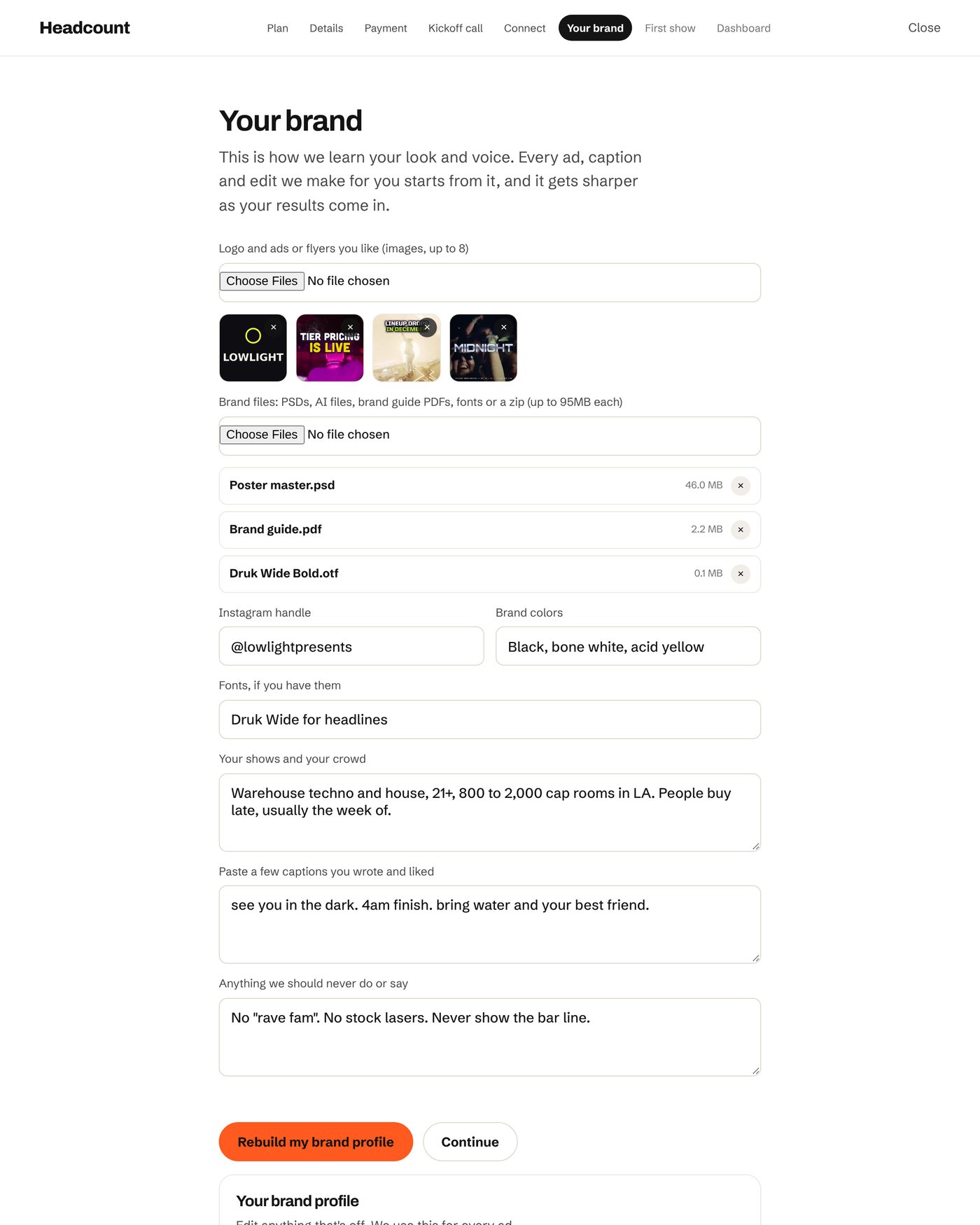
Add your logo, PSDs, brand guides, fonts and a few posts you like, then tell us about your crowd and how you write. Headcount turns that into a brand profile that every ad starts from.
Upload your files and write a few lines. Layered PSDs and brand guides help the most. You can edit the profile any time.
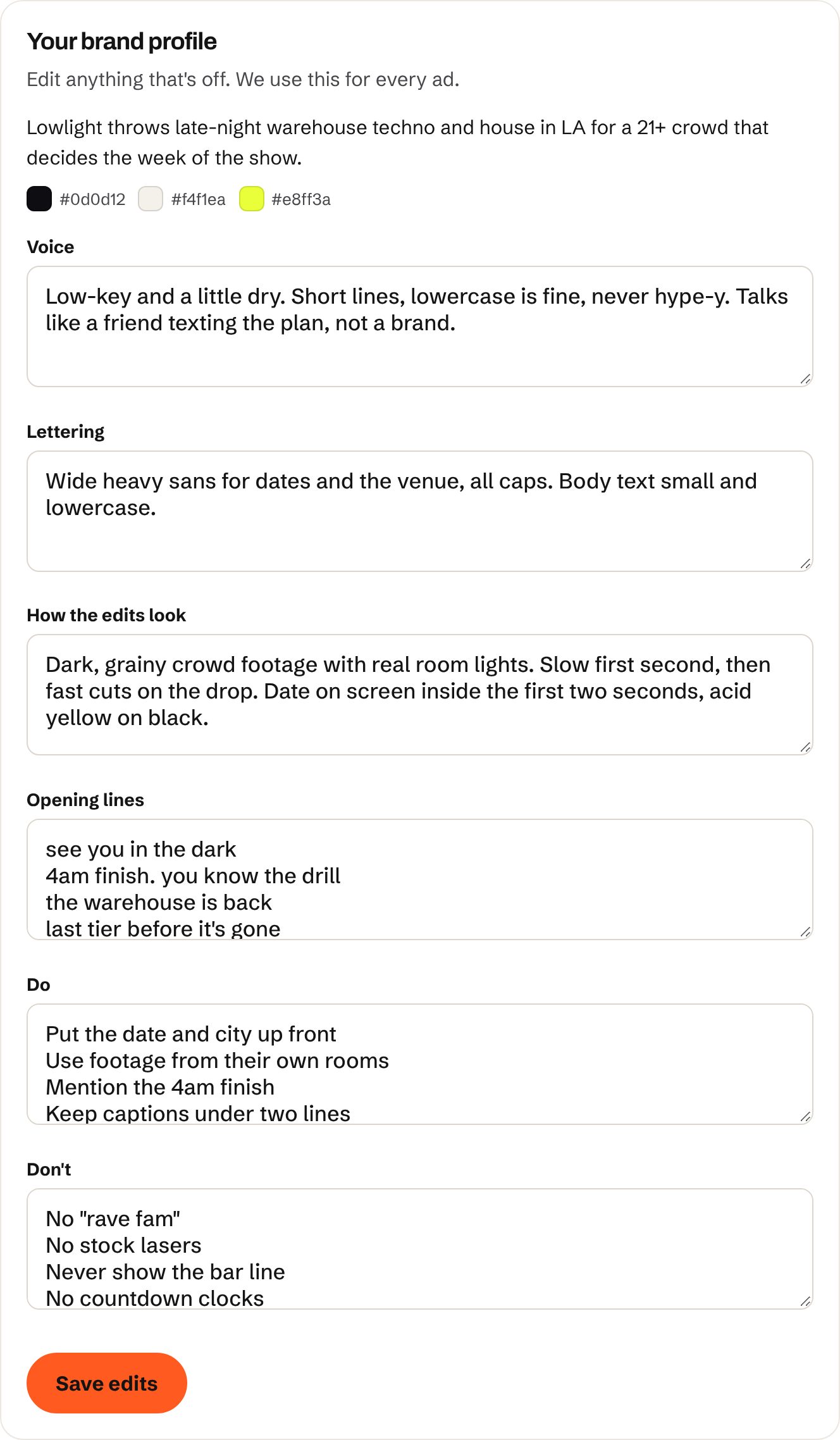
Your brand profile is written in about 20 seconds: colors, lettering, how the edits should look, opening lines, and what to avoid.
We keep it current. After each show, what worked gets added, so the next round of ads starts smarter.
Step 6
Send a show
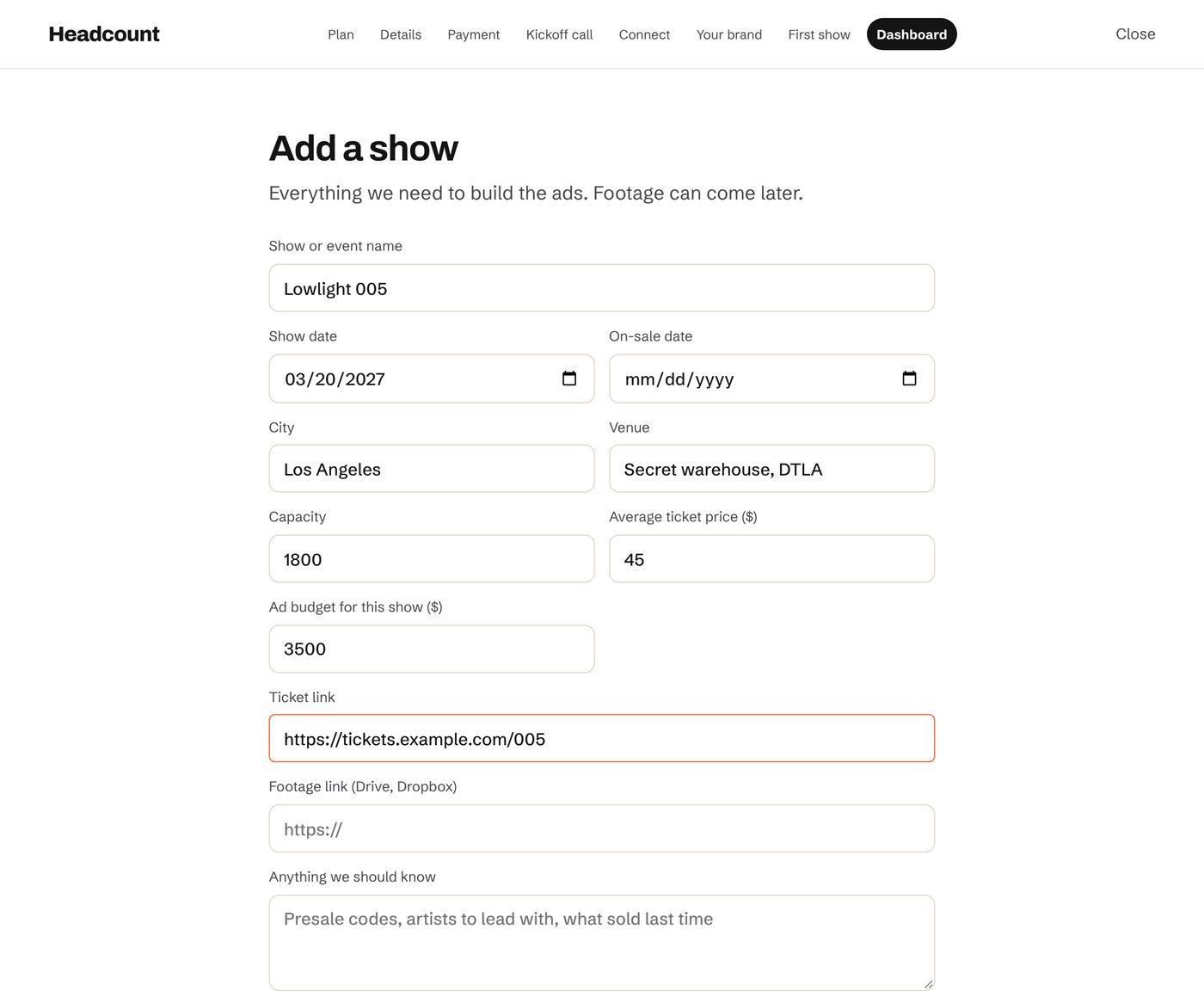
Date, city, budget and a ticket link are enough to start. Footage can come later through Drive or Dropbox.
Fill in the show. It takes about two minutes.
We get an alert with everything you sent.
We check your ticket page for price, ticket types and the pixel before we build anything.
Step 7
We make the ads
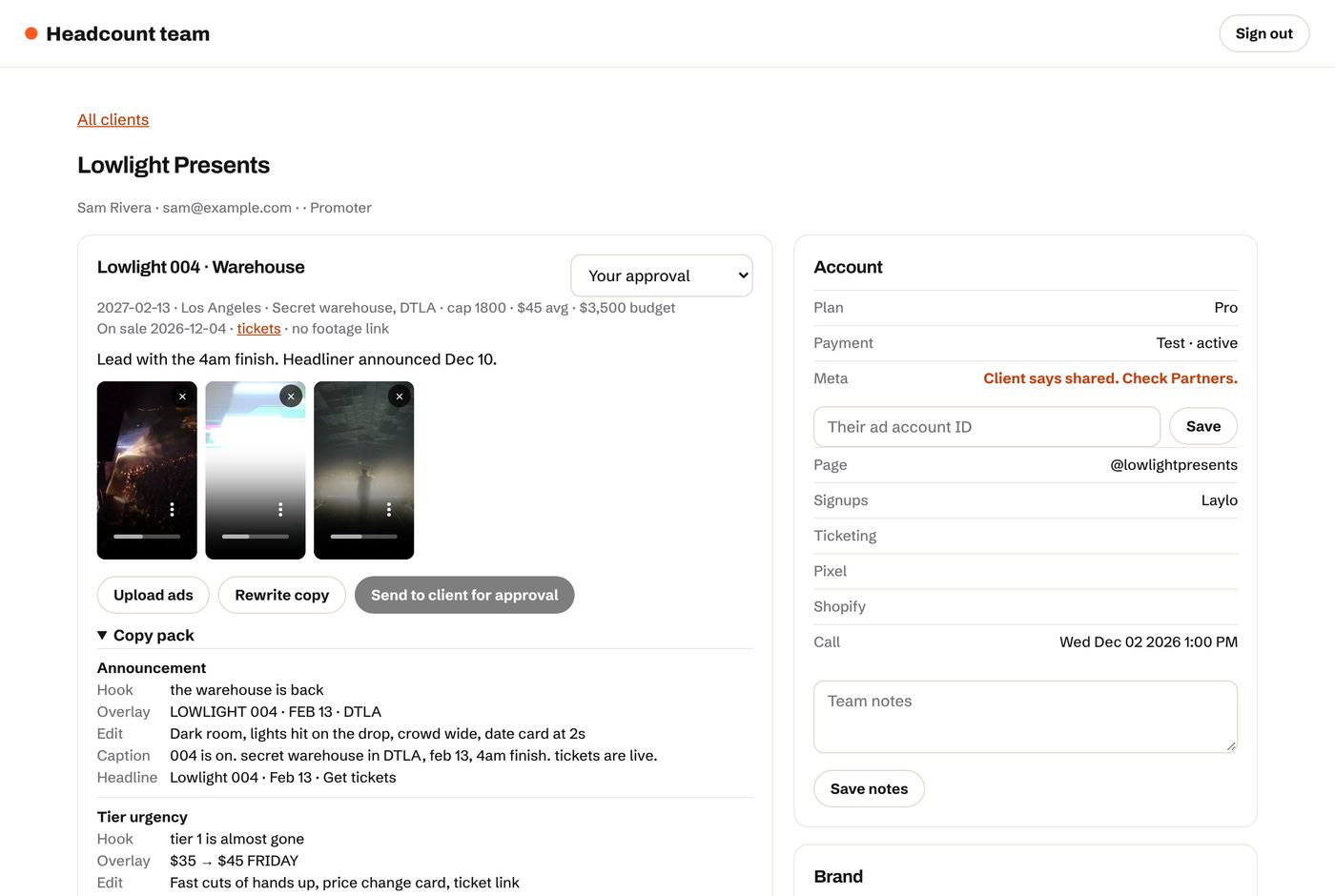
This is our side of the app. Every show gets its own build from your footage and your brand profile.
We cut 9:16 and 4:5 videos, write the copy in your voice, and build the campaign in your Meta account.
A first draft of the copy is written from your brand profile in four angles: announcement, social proof, urgency and lineup. We edit it before you see it.
Step 8
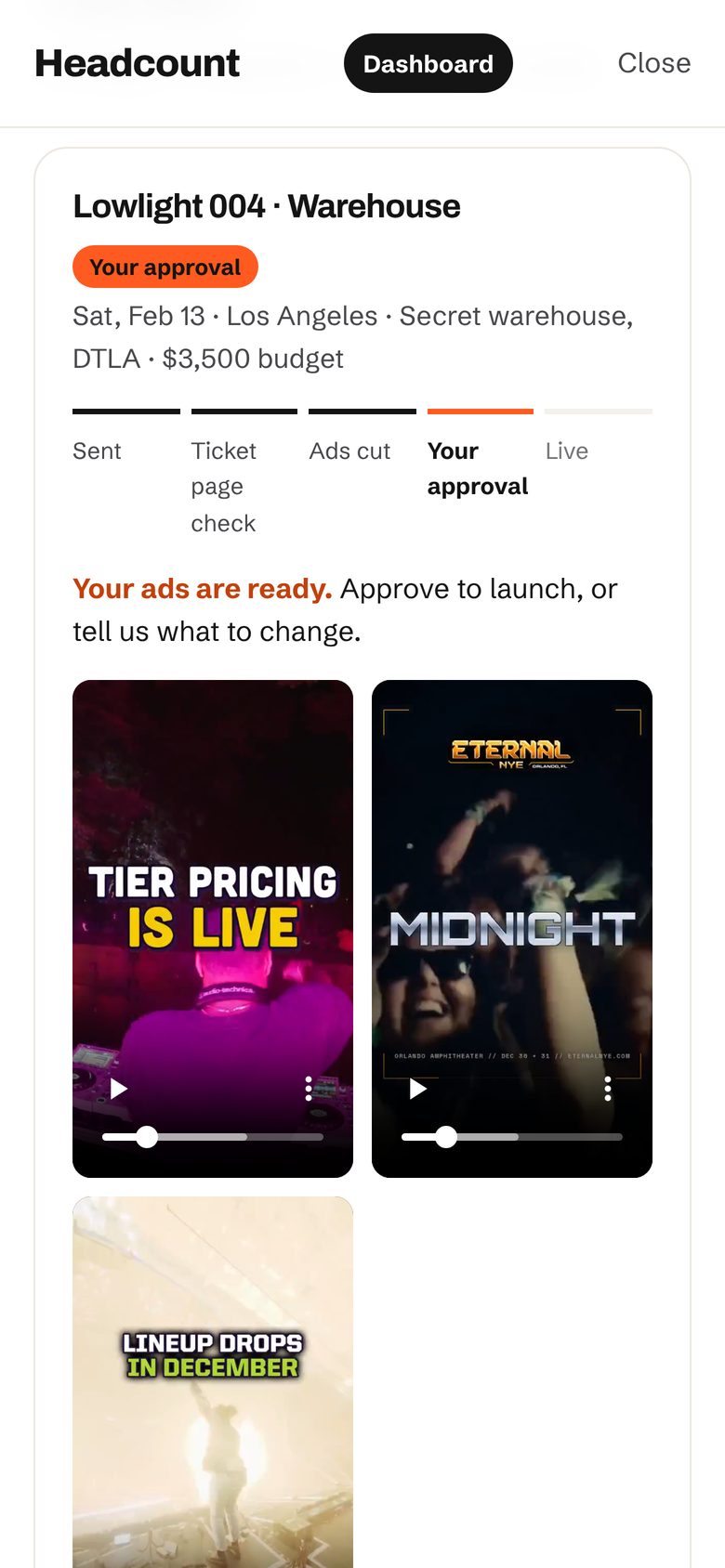
Approve from your phone
Nothing spends until you say yes.
You get an email when your ads are ready.
Watch the cuts, read the copy, then tap Approve and launch, or tell us what to change.
If you ask for changes, we send a new cut and you approve again.
Step 9
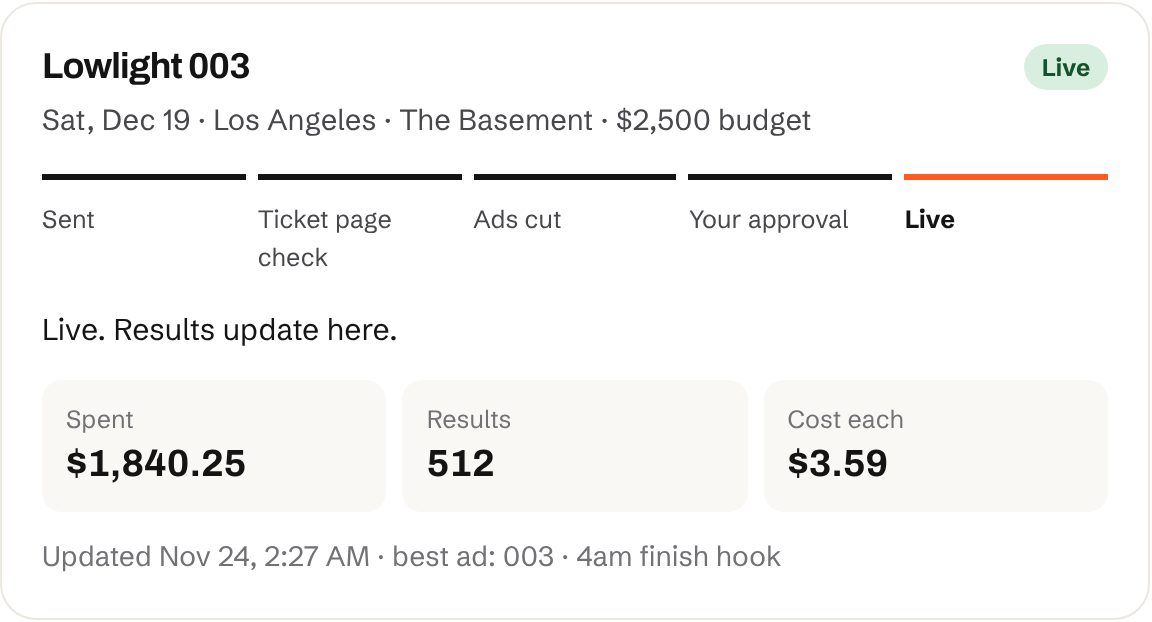
Watch results and what is working
Your dashboard shows spend, results and cost per ticket for every live show.
Results come straight from Meta, and the best ad is called out.
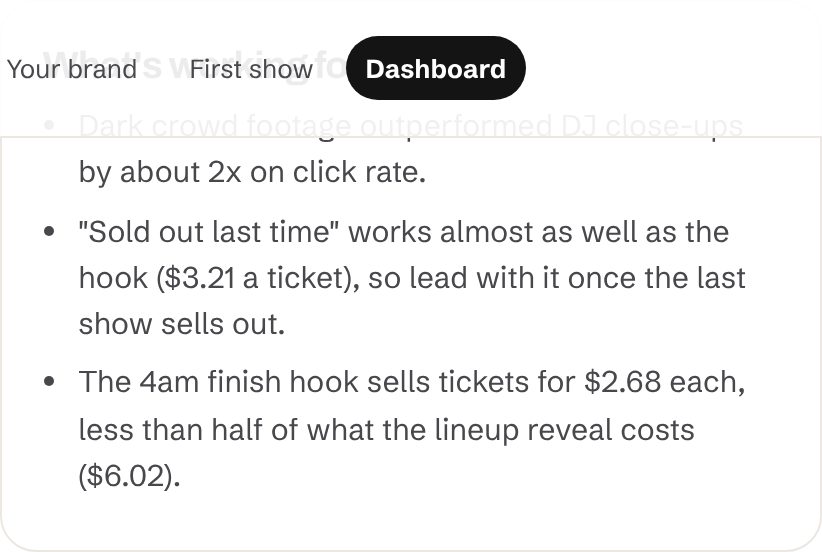
We check pacing every week, move budget to what works, and add the lessons to your profile so the next show starts from them.
If it helps you sell tickets, we can help with it
Pixel problems, a ticketing switch, Laylo drops, Shopify merch, a show that's behind pace. Bring it to us and we'll work it out with you.